
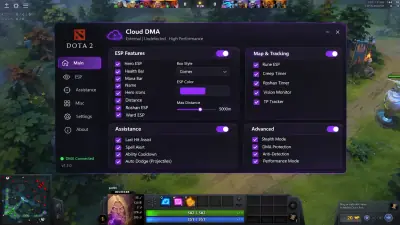
Cloud DMA for Dota 2: The Required Setup Layer
Understand the separate one PC Hyper V environment, Windows edition, virtualization, memory and connection requirements for Cloud DMA.
Cloud DMA is required for full Dota 2 package functionality on supported builds. It is a separate infrastructure product rather than another ESP module. The supplied description says it provisions a virtual environment on your own Windows PC and finishes activation over an encrypted service link. This guide explains that structure and the preparation questions to settle before purchasing the cheat layer. It does not invent a loader walkthrough or a delivery format.
One PC with a virtual environment
The environment runs through Hyper V on the same PC. The documented setup does not involve a second physical computer, a USB DMA bridge or a PCIe DMA card. This distinction matters when comparing equipment lists: a hardware DMA setup found elsewhere is not a shopping list for this product. Cloud DMA should be assessed against its own published virtualization and service requirements.
Windows edition and CPU virtualization
Cloud DMA lists 64 bit Windows 10 or Windows 11 with Hyper V available. Pro, Enterprise or Education is recommended for the Hyper V step. CPU virtualization must be enabled in firmware through Intel VT x or AMD V. Check the actual PC and Windows edition instead of assuming that a recent processor or a working Dota 2 installation proves the whole environment is supported.
The ability to enable Hyper V is a separate requirement. A machine can meet the main product’s operating system label yet still need an edition or configuration check for the infrastructure. If you are unsure, give support the Windows edition and CPU model before ordering. This guide does not recommend an operating system purchase without confirming the rest of the setup.
Memory, connection and security
The infrastructure specifies 8 GB RAM as a minimum and recommends 16 GB. It also requires a stable connection for activation and ongoing connectivity. HVCI, Core Isolation, TPM and Secure Boot are listed as enabled conditions. These are qualitative setup requirements, not a promise of a certain frame rate or a claim that the virtual environment has no performance cost. No benchmark figures are published.
Separate purchases need a complete answer
Cloud DMA lists GREENWARD, Static Server and AWS as three separately purchased products. Static Server and AWS are distinct. The Dota 2 page does not confirm whether every buyer needs all three, so ask for the complete list for your intended configuration. Do not translate the uncertainty into either “everything included” or a definitive extra order without confirmation.
Prepare before checkout
Review the Cloud DMA product page, the extra purchases guide and the Windows checklist. Then ask support to confirm your configuration, dependency list and current Dota 2 compatibility. The cheat and the delivery layer serve different roles; a purchase of one should not be assumed to include the other. Follow the instructions supplied with the actual order for installation and activation.