
Cloud DMA
Cloud DMA is required for full functionality and is purchased separately. It prepares a Hyper V environment on your own Windows PC. Confirm the complete infrastructure order before checkout.
In short
A Hyper V environment on one PC
One Windows PC hosts the Hyper V environment. Guided installation and encrypted activation belong to the infrastructure layer.
Overview
The required Dota 2 delivery environment
Prepare the Windows environment and clarify separate purchases.
Cloud DMA is the separately purchased infrastructure required for full Dota 2 package functionality. It prepares a virtual environment on the gaming PC.
Check Hyper V, CPU virtualization, memory and the full purchase list before ordering. The cheat license and this infrastructure layer have separate roles.
Documented features
Cloud DMA provisions Hyper V on your gaming PC and activates the service over an encrypted connection. The setup uses one physical PC, with no USB DMA bridge or PCIe DMA card. It is infrastructure, not an additional Dota 2 feature module.
Scope and limitations
Cloud DMA lists GREENWARD, Static Server and AWS as three separate required purchases. Static Server and AWS are distinct products. Their exact necessity for every Dota 2 configuration remains unconfirmed; ask for a complete order list.
Windows requirements
Use Windows 10/11 with Hyper V available, Intel VT x or AMD V enabled, at least 8 GB RAM and a stable connection. 16 GB and Windows Pro, Enterprise or Education are recommended. Keep HVCI, Core Isolation, TPM and Secure Boot enabled.
Before purchase
Payment and license fulfilment use external checkout. Review the current terms there. This site does not process or store payment card numbers.
Follow the instructions supplied with the order. Confirm the delivery format before purchase.
Included
Cloud DMA features
Check the virtualization and memory requirements below before choosing access.
- Single PC setup
- Guided Hyper V installation
- Encrypted activation
- Lifetime access
Setup
From purchase to activation
Follow the instructions supplied with the order. Confirm the delivery format before purchase.
Setup
- Layer A
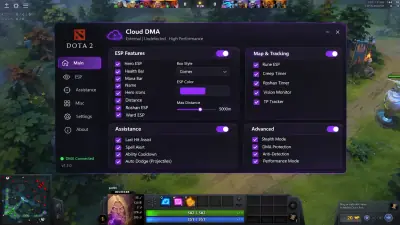
Illustrative Cloud DMA overlay
Supplied concept artwork. Displayed controls, status and protection claims are not verified product specifications.
More products
Pairs well with
Explore the other three products and their setup requirements.
- Dota 2 Cheats Hero ESP, fog removal, cooldown tracking, wards, timers, last hit prediction and auto dodge. View details: Dota 2 Cheats
- HWID Spoofer The utility works on disk serials, MAC addresses, GPU identifiers and related fingerprints. Trace cleanup is included. These functions concern the PC profile, not restoration of a sanctioned account. View details: HWID Spoofer
- Skin Changer Skin Changer displays weapon finishes, outfits and knife styles in supported games. The utility provides a local visual library rather than an inventory purchase for every cosmetic. View details: Skin Changer
FAQ
Questions about this page
Answers for this page. The FAQ page holds the rest.
Blog
Related guides
Documented features
Understand the separate one PC Hyper V environment, Windows edition, virtualization, memory and connection requirements for Cloud DMA.
Separate the confirmed Cloud DMA dependency from the unresolved Dota 2 order list, including the distinction between Static Server and AWS.