
HWID Spoofer and Dota 2: Scope, Requirements and Open Questions
Understand the separate HWID utility, its identifier and cleanup functions, and why Dota 2 coverage or account recovery should not be assumed.
HWID Spoofer appears beside the Dota 2 package in the catalogue, but that placement does not make it a Dota 2 requirement. The main product description does not list it as included or necessary. Dota 2 specific compatibility is also unconfirmed. This guide explains the utility’s documented scope so a buyer can distinguish hardware identifier work from an account issue, a delivery dependency or a game compatibility problem.
What the utility changes
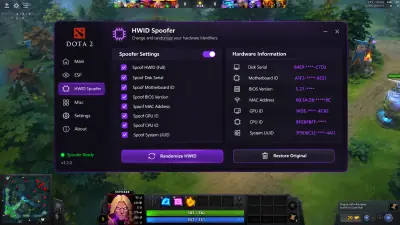
The utility lists disk serial changes, MAC address changes, GPU identifier changes and related hardware fingerprints. Trace cleanup is included in its license. Those are the functions to assess on the HWID Spoofer page. They describe identifier and cleanup work on a supported PC. They do not establish that any particular Dota 2 restriction is hardware based or that changing an identifier will resolve it.
An account sanction is a separate issue
A sanction stored against an account is not removed by this utility. Do not treat a failed login, a disconnect or a game error as proof of a hardware restriction. Similar symptoms can have different causes, and this guide does not provide a diagnostic method that establishes the reason for a specific restriction. Before purchasing a hardware tool, identify what problem you are trying to solve and obtain relevant support confirmation.
For example, buying an identifier utility because a Dota 2 account cannot play would skip the most important question: what is actually preventing access? The catalogue provides no evidence that the utility restores that account. Keep the account question and the machine configuration question separate. A product can have documented identifier functions while remaining unsuitable for your particular situation.
Published anti cheat names are not universal coverage
The utility catalogue names anti cheat families including Vanguard, Easy Anti Cheat, BattlEye and Ricochet. These are general coverage notes for the separate utility, not evidence of Dota 2 support. Do not substitute one game’s listing for another. Ask for explicit confirmation of the intended title, current build and hardware configuration. An update can change compatibility even when a family name remains on an older page.
Windows requirements still apply
The utility lists 64 bit Windows 10 or Windows 11, administrator rights, enabled HVCI and Core Isolation, enabled TPM and Secure Boot, and internet for activation and updates. These requirements are independent of the Dota 2 package. The fact that both products use Windows does not mean they share every requirement, license condition or supported game. Review the utility’s current setup instructions before changing identifiers.
Decide from confirmed need
Ask support whether Dota 2 is supported and whether the utility is relevant to the actual issue. Confirm reset, transfer and license conditions separately; they are not established by the feature list. For the main package’s required infrastructure, read Cloud DMA and Dota 2. For operating system preparation, use the Windows checklist. Neither guide turns HWID Spoofer into a documented Dota 2 dependency.