
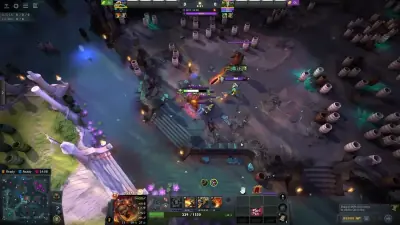
Last Hit Prediction and Auto Dodge in Dota 2: Assistance Explained
Separate last hit damage prediction from automatic movement against skillshots, and learn which settings and coverage are not documented.
Last hit prediction and auto dodge sit beside the vision tools in the Dota 2 package, but they do different jobs. One helps judge an attack window. The other moves the hero in response to incoming skillshots. Neither should be described with shooter terms such as recoil control or crosshair smoothing. This guide explains the supported claims and the questions worth answering before expecting a particular degree of automation.
What the last hit helper predicts
The supplied description says the helper predicts the damage threshold for a creep last hit. That information supports your decision about when to attack. Last hits affect gold income, so a clearer final hit window has practical relevance during laning. The description does not publish the underlying calculation, show an exact indicator style or promise that every attack will land at the right time.
Consider a creep taking damage from several sources. A prediction helper is intended to help judge the final hit opportunity. It does not establish that the package accounts for every damage event in every situation. Attack timing, command execution and changes to the current game build still matter. Automatic attacks, deny routines, lane clearing and jungle farming are not documented by the words “last hit prediction.”
What auto dodge does
Auto dodge automatically moves the hero away from incoming skillshots. Unlike a visible timer, it takes an action. That distinction matters when deciding what kind of assistance you want. The source description gives no spell by spell coverage list, reaction benchmark or promise that all incoming disables can be avoided. Describe the feature by its stated purpose and confirm specific interactions with support.
Control details remain unconfirmed
There is no documented menu map for dodge tuning, priority rules or shortcut keys. We cannot say whether a movement override exists, how an input conflict is handled or which sliders are available. A general list of separate modules suggests distinct functions, but it does not prove a particular configuration screen. Do not copy settings from a different game’s screenshot and treat them as Dota 2 instructions.
Why this is not an aimbot guide
The source summary mentions aimbot and separate recoil layers in general advertising text, while the actual feature list contains neither. Dota 2 uses click to move and click to attack controls. The closest confirmed combat assistance is auto dodge, which concerns movement rather than aiming. This site therefore leaves aimbot and recoil claims out of the package description until a real module and its behaviour are documented.
Questions to ask before checkout
Ask which skillshots the current build covers, how dodge interacts with manual commands and how last hit prediction is presented. Confirm any controls you consider essential before paying. The feature and requirements page gives the complete documented scope. Read the Windows preparation guide and Cloud DMA guide as well: full functionality depends on that separate environment, and a feature description is not a compatibility guarantee.